




Small Business Website Design: A Complete Guide
In today’s digital-first world, **small business website design** isn’t just about looking good—it’s about converting visitors into customers, building trust, and competing with larger brands on a level playing field. Whether you’re launching your first business website or redesigning an existing one, this comprehensive guide will walk you through everything you need to know to create a high-performing online presence that drives real results.

Why Small Business Website Design Matters More Than Ever
Your website is often the first interaction potential customers have with your brand. Studies show that 75% of users judge a company’s credibility based on its website design, and 38% of people will stop engaging with a website if the content or layout is unattractive. For small businesses competing against established competitors, a professionally designed website isn’t optional—it’s essential.
**Small business website design** differs from enterprise-level projects in important ways. You need maximum impact with limited resources, faster time-to-market, and designs that work harder because you can’t rely on brand recognition alone. The good news? Modern tools, frameworks, and design principles have made it easier than ever to create stunning, effective websites without enterprise budgets.
Core Principles of Effective Small Business Website Design
1. Mobile-First Responsive Design
Over 60% of web traffic now comes from mobile devices, and Google uses mobile-first indexing to rank websites. Your **small business web design** must look and function flawlessly on smartphones and tablets, not as an afterthought but as the primary design consideration.
**Key mobile design requirements:**
– Touch-friendly navigation with minimum 44x44px tap targets
– Readable text without zooming (minimum 16px font size)
– Fast loading on cellular connections (under 3 seconds)
– Simplified forms optimized for mobile input
– Click-to-call buttons prominently displayed
– Responsive images that scale properly across devices
2. Clear Value Proposition Above the Fold
Visitors decide whether to stay on your site within 3-5 seconds. Your homepage hero section must immediately communicate:
– **What you do** (be specific, avoid jargon)
– **Who you serve** (your target customer)
– **Why you’re different** (unique value proposition)
– **What action to take** (clear call-to-action)
For example, instead of “We provide innovative business solutions,” try “Affordable Accounting Services for Austin Small Businesses—Get Your Free Consultation Today.”
3. Strategic Visual Hierarchy
**Professional website design for small business** uses visual hierarchy to guide visitors through your content intentionally:
– **Headlines** (H1, H2, H3) should create a scannable content outline
– **Whitespace** prevents overwhelming visitors and improves focus
– **Contrast** draws attention to CTAs and important information
– **F-pattern layout** matches natural eye movement patterns
– **Strategic color** uses accent colors to highlight conversion points
4. Fast Loading Speed
Website speed directly impacts both user experience and SEO rankings. Google considers page speed a ranking factor, and research shows:
– 53% of mobile users abandon sites that take over 3 seconds to load
– A 1-second delay in page response can result in a 7% reduction in conversions
**Speed optimization essentials:**
– Compress and optimize all images (WebP format when possible)
– Minimize CSS, JavaScript, and HTML
– Leverage browser caching
– Use a Content Delivery Network (CDN)
– Choose quality hosting with good server response times
– Implement lazy loading for images and videos


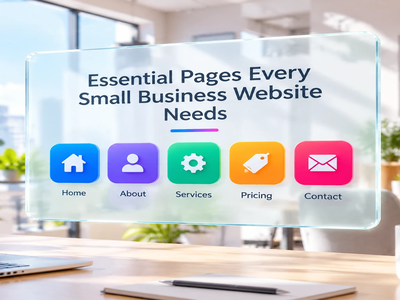
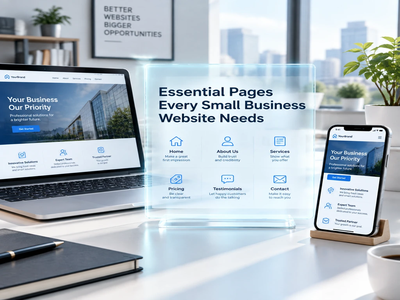
Essential Pages Every Small Business Website Needs
Homepage
Your homepage serves as the hub of your online presence. It should provide an overview of your business and guide visitors to deeper content.
**Must-have homepage elements:**
– Clear value proposition in the hero section
– Trust indicators (testimonials, logos, certifications)
– Overview of primary services or products
– Social proof (customer count, reviews, case studies)
– Strong call-to-action (CTA) buttons
– Brief “About Us” preview
– Contact information in header/footer
About Page
The About page builds trust and connection. Share your story, team, values, and what makes your business unique. Include:
– Founder/team photos (humanizes your brand)
– Your business story and mission
– Core values and what you stand for
– Credentials, certifications, or awards
– Community involvement or social responsibility
Services or Products Page
This is where conversions happen. Create dedicated pages for each major service or product line with:
– Clear, benefit-focused descriptions
– High-quality images or demonstrations
– Pricing information (when appropriate)
– Process or how-it-works explanations
– FAQ sections addressing common objections
– Strong CTAs (Get a Quote, Schedule Consultation, Buy Now)
Contact Page
Make it effortless for customers to reach you:
– Multiple contact methods (phone, email, form)
– Physical address with embedded Google Map
– Business hours clearly displayed
– Expected response time
– Links to social media profiles
– Optional: Live chat widget for immediate assistance
Blog or Resources Section
A regularly updated blog serves multiple purposes:
– **SEO benefits** through fresh, keyword-optimized content
– **Authority building** by demonstrating expertise
– **Customer education** that moves prospects through the buyer journey
– **Social media content** to share and drive traffic
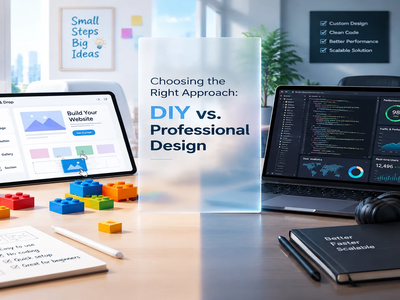
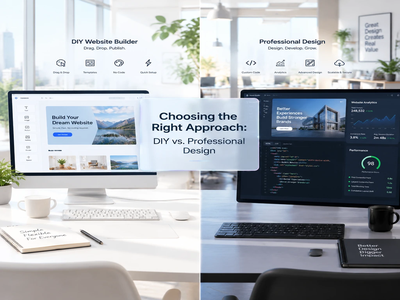
Choosing the Right Approach: DIY vs. Professional Design
Website Builders for Small Business
**Best for:** Very small businesses, solopreneurs, limited budgets under $500
**Popular platforms:**
– **Wix** – Intuitive drag-and-drop, AI design assistant
– **Squarespace** – Beautiful templates, strong for visual businesses
– **WordPress.com** – Flexible, scales with your business
– **Shopify** – Specifically for e-commerce businesses
– **Weebly** – Simple, affordable, good for beginners
**Pros:**
– Low upfront cost ($10-40/month)
– No coding knowledge required
– Included hosting and security
– Templates provide professional starting points
**Cons:**
– Limited customization for unique needs
– Potential long-term platform lock-in
– May not scale well as business grows
– Template-based sites can lack uniqueness
Custom Small Business Web Design
**Best for:** Growing businesses, unique requirements, competitive industries
**Typical investment:** $2,000-$15,000 depending on complexity
**Pros:**
– Fully customized to your brand and needs
– Better long-term scalability
– Optimized performance and SEO
– Unique design that stands out
– Professional strategy and consultation
**Cons:**
– Higher initial investment
– Longer development timeline
– Requires finding the right designer/agency
– May need ongoing maintenance support
Hybrid Approach
Many small businesses find success with a middle path: starting with a premium WordPress theme or website builder template, then hiring a professional for customization, branding, and optimization. This balances affordability with professional quality.
Small Business Website Design Best Practices
Conversion-Focused Design
Every element should guide visitors toward your business goals:
**Clear CTAs:** Use action-oriented language (“Get Your Free Quote,” “Schedule Today,” “Start Your Trial”) rather-back guarantees, and clear privacy policies.
** or “Submit.”
**Reduce friction:** Minimize form fields, offer guest checkout, provide multiple contact options, and never make visitors hunt for information.
**Build trust:** Display security badges, customer testimonials, industry certifications, money-back guarantees, and clear privacy policies.
**Create urgency:** Use limited-time offers, showcase low stock, or highlight booking availability to encourage immediate action.
Accessibility and Inclusivity
**Accessible small business website design** isn’t just ethical—it expands your potential customer base and often improves SEO:
– Sufficient color contrast (minimum 4.5:1 ratio)
– Alt text for all images
– Keyboard navigation support
– Proper heading structure (H1, H2, H3 hierarchy)
– Transcripts or captions for video content
– Readable fonts and appropriate sizing
– Form labels and error messages
SEO Fundamentals
Your **small business website design** must incorporate SEO from the ground up:
**Technical SEO:**
– Clean URL structures (yourdomain.com/services/accounting)
– XML sitemap submitted to Google Search Console
– Proper meta titles and descriptions
– Header tags (H1, H2, H3) with keywords
– Image optimization with descriptive filenames
– Mobile-friendly responsive design
– HTTPS security certificate
**On-page SEO:**
– Keyword research for your industry and location
– Content optimized for target keywords
– Internal linking between related pages
– Local SEO with NAP (Name, Address, Phone) consistency
– Schema markup for rich search results
**Content strategy:**
– Regular blog posts targeting long-tail keywords
– Service/product pages answering customer questions
– Local content for geographic targeting
– Customer success stories and case studies
Branding Consistency
Your website should reflect your complete brand identity:
– **Color palette:** Consistent use of 2-3 primary brand colors
– **Typography:** Professional font pairing (heading + body text)
– **Logo usage:** Proper sizing, placement, and spacing
– **Photography style:** Consistent image treatment and filters
– **Voice and tone:** Writing style that matches your brand personality
– **Iconography:** Consistent icon style throughout

Common Small Business Website Design Mistakes to Avoid
1. Auto-Playing Media
Nothing drives visitors away faster than unexpected audio or video. Always require user interaction to play media.
2. Outdated Content
A copyright footer from 2019 or blog posts that stop two years ago signal an inactive business. Keep content fresh.
3. Hidden Contact Information
If visitors have to hunt for your phone number or email, they’ll go to a competitor. Contact info should be visible on every page.
4. Generic Stock Photos
Overused stock imagery undermines authenticity. Invest in original photography of your actual team, products, and workspace.
5. Unclear Navigation
Complex mega-menus, unclear labels, or buried important pages frustrate users. Keep navigation simple and intuitive.
6. Ignoring Analytics
Without Google Analytics and Search Console installed, you’re flying blind. Track what works and continuously improve.
7. Missing Security Features
No HTTPS certificate? No privacy policy? These raise red flags for security-conscious customers and hurt search rankings.
Website Maintenance and Growth
**Small business website design** isn’t a one-time project—it’s an ongoing asset that requires regular attention:
**Weekly tasks:**
– Monitor website uptime and performance
– Review and respond to form submissions
– Check for broken links
**Monthly tasks:**
– Review Google Analytics data
– Update blog with fresh content
– Back up website files and database
– Test all forms and CTAs
– Review and improve underperforming pages
**Quarterly tasks:**
– Update software, plugins, and themes
– Conduct comprehensive SEO audit
– Review and refresh outdated content
– Analyze competitor websites
– Test website across multiple devices and browsers
**Annual tasks:**
– Evaluate design trends and modernize if needed
– Review hosting plan and upgrade if necessary
– Conduct user testing or surveys
– Strategic planning for new features or pages


Measuring Success: Key Metrics to Track
Monitor these metrics to evaluate your **website design for small business**:
1. **Traffic:** Total visitors, unique visitors, traffic sources
2. **Engagement:** Bounce rate, pages per session, average session duration
3. **Conversions:** Form submissions, phone calls, purchases, quote requests
4. **SEO performance:** Keyword rankings, organic traffic growth
5. **Technical health:** Page load speed, mobile usability, error rates
6. **User experience:** Heatmaps, scroll depth, navigation paths
Use tools like Google Analytics, Google Search Console, Hotjar, and PageSpeed Insights to gather actionable data.
Conclusion: Building Your Small Business Digital Foundation
Effective **small business website design** combines aesthetics, functionality, and strategy to create a digital presence that works as hard as you do. By focusing on mobile responsiveness, clear messaging, fast performance, and conversion optimization, you can create a website that competes effectively regardless of your company’s size.
Remember that your website is never truly “finished.” The most successful small business websites evolve continuously based on customer feedback, analytics data, and changing business goals. Start with a solid foundation following the principles in this guide, then refine and improve based on real-world results.
Whether you choose a DIY website builder or invest in custom professional design, prioritize user experience, authentic branding, and clear conversion paths. Your website is often your hardest-working employee—invest the time and resources to make it exceptional.
Ready to transform your small business’s online presence? Start by auditing your current website against the checpoints in this guide, or if you’re building from scratch, create a detailed plan that addresses each core principle. Your investment in quality **small business website design** will pay dividends in customer trust, lead generation, and business growth for years to come.
—
**About Spinoways:** We specialize in digital marketing strategies and website optimization that help small businesses compete and thrive online. Visit [spinoways.com](https://spinoways.com) to learn how we can elevate your digital presence.